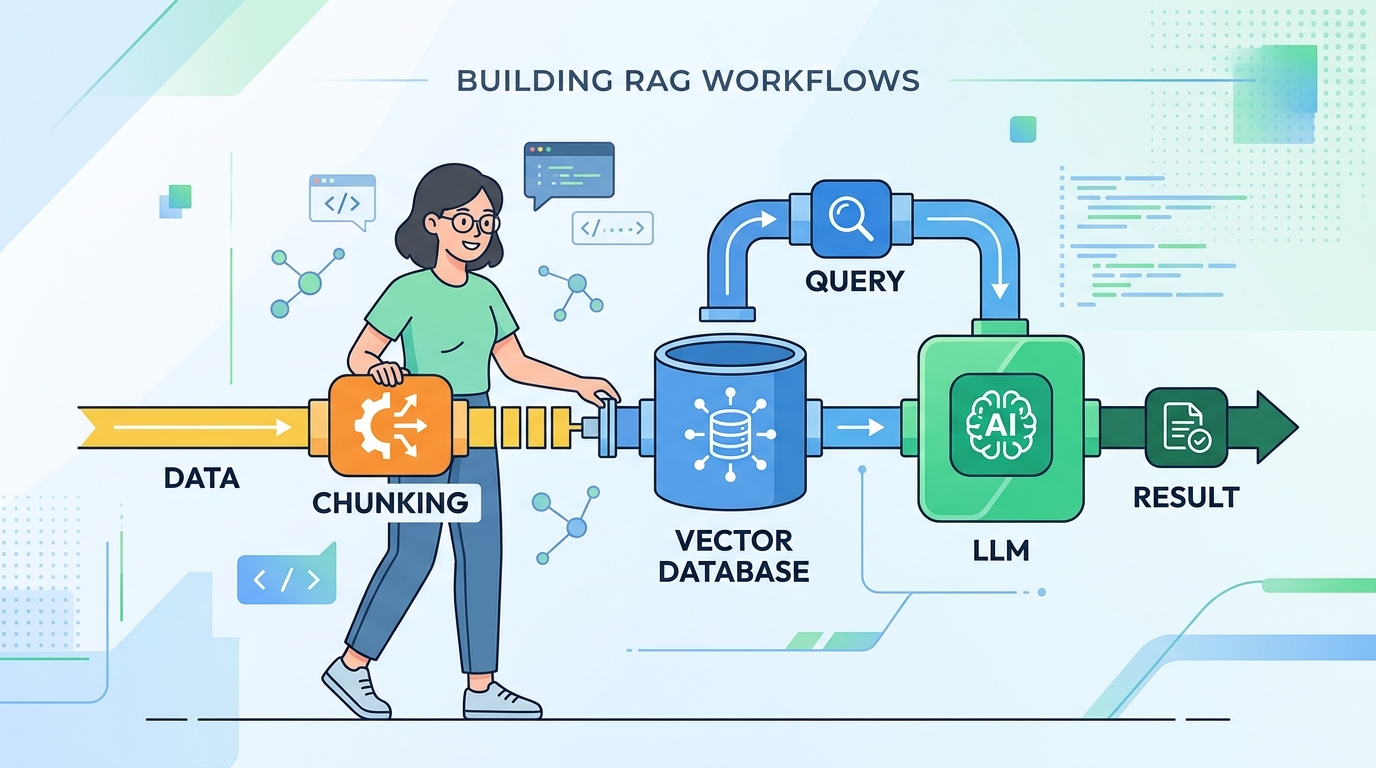
RAG Is Just a Pipeline. You've Built This Before.
You've built data pipelines. You've wired up APIs. You've cached expensive computations. RAG — retrieval-augmented generation — is just those things wearing a new hat.
The mental block most engineers hit isn't technical. It's the unfamiliar vocabulary: embeddings, vector stores, semantic search. Strip those terms away and you're left with a pattern you already know: fetch relevant data, inject it into a request, call a service.
Let's build it.
What RAG Actually Does
Here's the core idea in one sentence: instead of asking an LLM to answer from memory, you retrieve relevant documents first, then generate an answer with that context injected into the prompt.
That's it. Two steps:
- Retrieve — find the chunks of text most relevant to the user's query
- Generate — pass those chunks + the query to an LLM and let it synthesize an answer
The LLM doesn't need to have memorized your docs. You're feeding it the right pages at query time, like handing someone the relevant chapter before asking them a question.
The Four-Step Pipeline
Break the full system into two phases: ingestion (runs once) and query (runs per request).
Ingestion phase:
- Chunk your documents into smaller pieces (~500 tokens each)
- Embed each chunk into a vector (a list of floats representing meaning)
- Store those vectors somewhere queryable
Query phase:
- Embed the user's question using the same embedding model
- Find the chunks whose vectors are closest to the question vector
- Stuff those chunks into your prompt
- Call the LLM
Here's a minimal, runnable version using OpenAI embeddings and plain Python — no vector database required:
python import numpy as np from openai import OpenAI
client = OpenAI()
def embed(text: str) -> list[float]: response = client.embeddings.create( model="text-embedding-3-small", input=text ) return response.data[0].embedding
def cosine_similarity(a, b): a, b = np.array(a), np.array(b) return np.dot(a, b) / (np.linalg.norm(a) * np.linalg.norm(b))
--- INGESTION (run once) ---
docs = [ "Refunds are processed within 5–7 business days.", "To cancel your subscription, go to Account > Billing > Cancel.", "Our support team is available Monday through Friday, 9am–6pm EST.", ] chunk_store = [(doc, embed(doc)) for doc in docs]
--- QUERY (run per request) ---
query = "How do I cancel my plan?" query_vec = embed(query)
Retrieve top-1 most relevant chunk
best_chunk = max(chunk_store, key=lambda x: cosine_similarity(query_vec, x[1]))[0]
Augment prompt and generate
prompt = f"""Use the following context to answer the question.
Context: {best_chunk}
Question: {query}"""
response = client.chat.completions.create( model="gpt-4o-mini", messages=[{"role": "user", "content": prompt}] )
print(response.choices[0].message.content)
This is a complete RAG system. It fits in 40 lines. It works.
Why Start Here Instead of Pinecone/Weaviate/pgvector
Vector databases are great — eventually. But they're an optimization, not a starting point.
Before you stand up a vector DB, you need to validate that:
- Your chunking strategy produces retrievable content
- Your embedding model understands your domain
- RAG actually improves your outputs over a baseline prompt
None of that requires a database. An in-memory list of (chunk, vector) tuples gets you to validation in an afternoon. You can swap in pgvector or Pinecone once you know what you're optimizing.
Premature infrastructure choice is the #1 RAG momentum killer. Engineers spend three days evaluating vector databases before they've written a single retrieval call.
The Gotcha
Chunk size matters more than your DB choice. If your chunks are too large, you'll retrieve paragraphs full of noise. Too small, and you'll lose the context that makes chunks useful. A good default is 300–500 tokens with a small overlap (50 tokens) between adjacent chunks. Get this wrong and no amount of vector DB tuning will save your retrieval quality.
The Takeaway
RAG is a fetch-then-generate pattern — retrieve the right context, inject it into your prompt, call the LLM. Build the in-memory version first, validate it works, then graduate to a vector database.